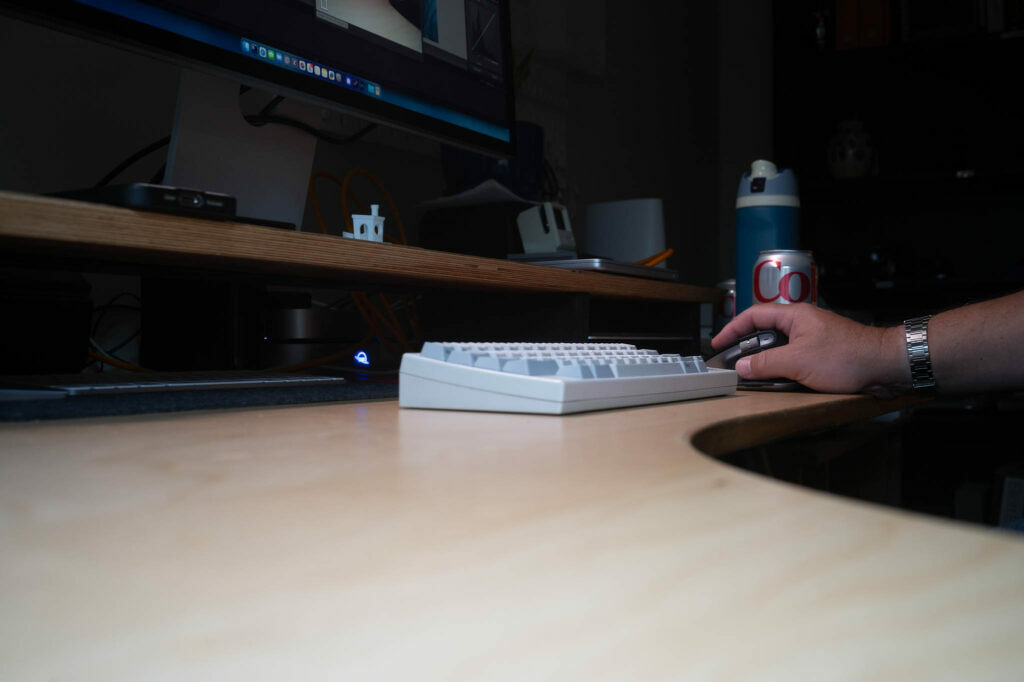
I still write on paper almost every day, but I haven't been enjoying it as much recently. I'm not sure why. Joel's giving it a spin. It's always fun to watch others working on paper. It helps me stick with it.
Hey Joel, you should definitely try a fountain pen. Get something inexpensive to start with, like a Lamy Safari or Pilot Metropolitan. You know, ease into it before it takes over your bank account.
I just learned about Org-node. Org-node is an Emacs package that mimics much of Org-roam, but claims to be faster and easier to pick up. It’s node-based (via org-ids) and is pretty full-featured.
I’ve (temporarily) replaced my Denote workflow with Org-node, to see how it feels. I like the node-based approach. I also like that it uses org-ids for linking. I often worry that Denote’s “denote:” style links aren’t portable.
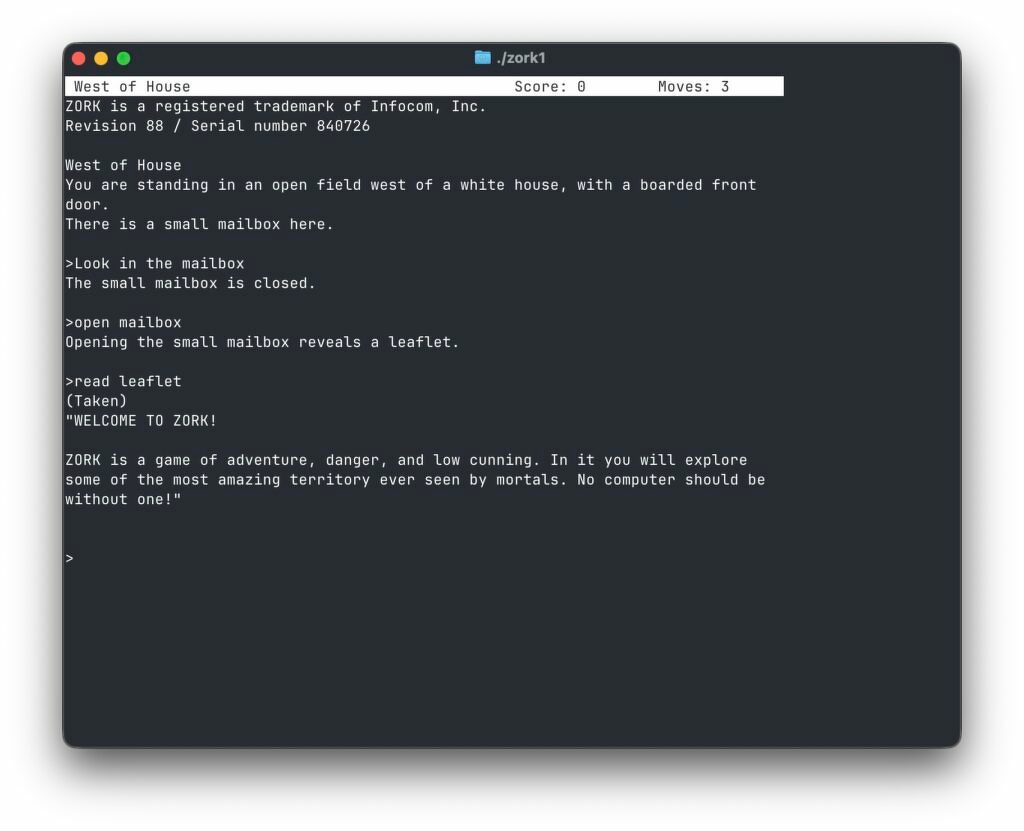
Zork, one of the original text adventure games, was one of the only games I've ever bothered to finish. It's from Christopher Drum and it's called pez: Portable Executable Zork.
I just downloaded a copy and am playing in a terminal on my Mac. Flashbacks to some great computer moments going on right now.
I’m writing this post in MarsEdit. It’s been a spell.
I’m mostly testing to see how things play with the awful-but-necessary Gutenberg editor in WordPress. Part of this effort meant I’m using “Rich Text” in MarsEdit. GASP!
Update: It doesn’t use Gutenberg. It creates the entire post in the “Classic” editor. I have yet to decide if this is all too much swimming upstream.
I can't help but wonder what will happen to all the words and pictures I put here in WordPress once I remember that I hate using WordPress and decide to shitcan the whole thing. Will I bother moving it all over somewhere else? Probably.
I also can't help wondering, what if I don't quit using WordPress. What if I use it as my primary blog platform for the rest of my natural life? Type->Publish->Update Plugins->Repeat. Pay like $5.00/month for hosting and never think about platforms again. Wouldn't that be neat?
Les Orchard made a thing, Feedspool, that works as a CLI interface for managing/reading RSS feeds. It uses sqlite and has a bunch of fun features. One of them is the ability to render a static web page with posts from recently-updated feeds and a built in web server to view it.
I made a simple shell script that updates and opens the rendered page.
#!/bin/sh

./feedspool fetch
./feedspool render
open http://localhost:8888
I'm pretty content with Elfeed in Emacs, but Feedspool is an interesting take.
Mylio is an amazing bit of software for managing large, disparate photo libraries. (For some details, check out this review.)
A private library that’s truly cross-platform and cloud-independent. Mylio is a media library built around your life, not around a cloud, device, or platform. Collect media from everywhere, access it on any device, anytime—even in Airplane Mode.
Mylio, in theory, solves my photo management problems:
I have access to every photo I’ve ever taken, on every device, even offline.
It’s cloudless. All syncing is done peer-to-peer. Privacy is nice.
It seamlessly combines photos from everywhere, including my Apple Photos library.
It automatically keeps copies of every original photo in one or more “Vaults”, making backups a hands-off operation.
Face detection and tagging work very well
I can easily share web galleries
It works reasonably well with Capture One (sessions).
The first point above solves so many issues for me. My photos are a mess because I never know how to think about Apple Photos. For a while, I treated my phone as if it were just another camera with an SD card. I’d transfer photos from the phone into Lightroom Classic and then (sometimes) delete them from the phone. Then, a year later I’d switch to thinking about my Photos library as the source of truth and import processed “real” photos into it. Once I start doing that, the “iPhone as SD card” concept is out the window. Like I said, it’s a mess.
I installed Mylio a few days ago, and pointed it at my current working /Pictures folder on the laptop, my big /MediaHD/Photos folder with everything, and at my Apple Photos library. I didn’t have to move or “import” any of my actual RAW files. It chugged away for a day or so, and now I see everything from everywhere right in Mylio. The iPhone snap from last night is in there. In fact, iPhone photos end up in Mylio on my Mac even before they show up via iCloud. The latest roll of film I scanned is in there. RAW files from my big digital camera are in there. And all of these are copied to both vaults and also visible on my Phone and iPad. I mean, it’s great, right?
Mylio automatically tags everything using a local AI model. I just searched for “Dog” and it found more than 10,000 matches :).
So, what’s the problem?
First, Mylio is a $240/year subscription. Many of you will shrug and walk away right there. I did too, but when I think about how much time and energy I spend dealing with all this, it feels more reasonable. It should be $10/month but I can’t control that.
Second, do I really want more software in the loop? I don’t, but Mylio adds a lot of value.
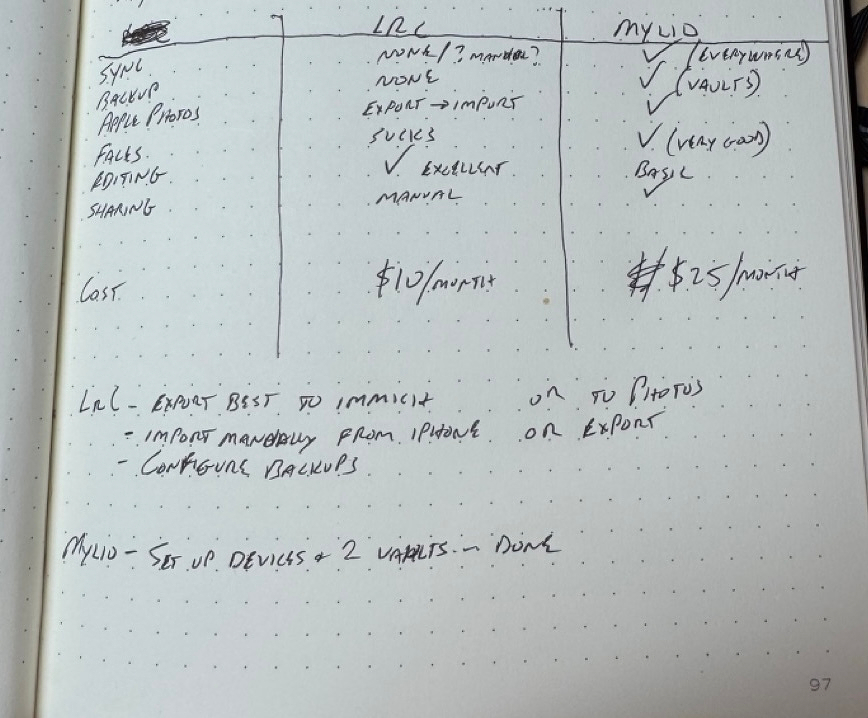
But you know what? Photography is important to me and the thing I enjoy most. Spending a couple hundred bucks a year to have all of it everywhere all the time, with multiple copies, all automatic, seems like a no-brainer, so I scribbled a quick comparison…
Mylio vs Lightroom Classic
In the end, I came very close to paying for a year of Mylio, but didn't.
I often imagine a world in which my temperament, tastes, and WordPress align in a way that allows me to blog using WordPress again and be done with it. This world may not exist, but that doesn't prevent me from trying to force an alignment once or twice a year.
I don't want blocks. I don't want every plugin to upsell me every time I log in. I don't want 99% of the themes. I definitely don't want to ever touch the Site Editor. I do want stats and comments and a media library and a billion resources available whenever I get confused.
This, then, is me testing things yet again to see if they feel right this time. I've highjacked the Baty.blog domain for this, just in case it sticks.
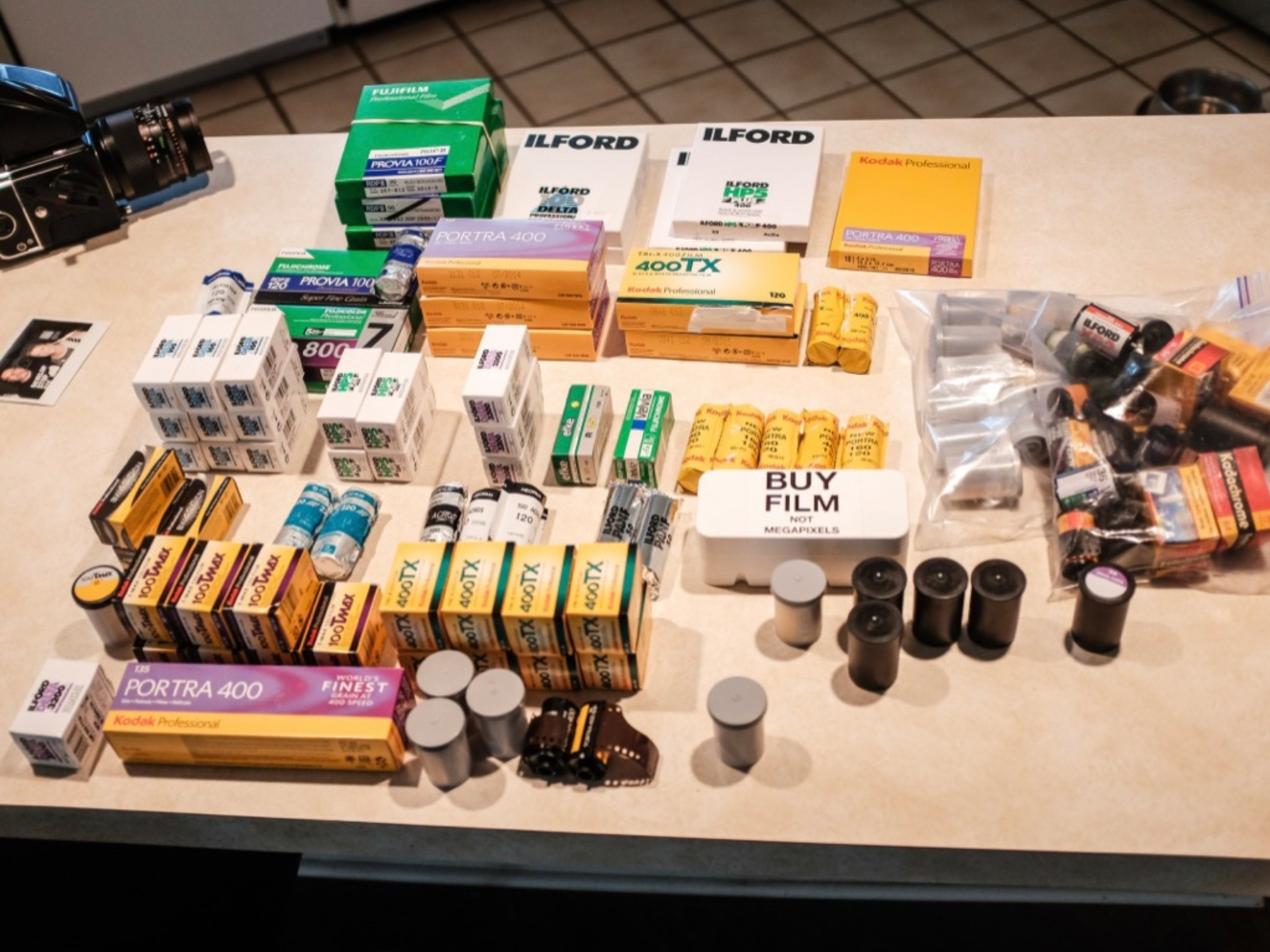
For the past week or so, I’ve been thinking about shelving the whole film photography thing for a while.
I have many film cameras, but that’s the fun part, not the problem. It’s the supporting cast that wears me down. There’s just too much infrastructure around film photography.
If you’ll allow me a bit of a ramble.
First, there’s buying the actual film. It’s damn expensive, and becoming more so. I have to decide on black and white or color, fast or slow, modern or classic, etc. Best to have a little of each, right? And it’s all taking up room in my fridge.
I develop my film at home, so I need all sorts of processing gear and chemicals. Oh, and a darkroom if I want to make prints, which I do. For printing, I have enlargers, lenses, holders, easels, trays, tongs, chemicals, drying racks, paper, a paper safe, safelights, timers, loupes, and on and on. It’s a lot.
After the film is processed, there’s the scanning. Scanning sucks. Should I use a flatbed, dedicated scanner, or digital camera? I have all three, since I keep trying different approaches. I don’t love any of them, but digital scanning is the way forward. That’s a whole thing, though. I have a copy stand, but it’s terrible, and I hate having to set everything up each time. Is everything level? Don’t forget to set the ISO correctly, and focus precisely, and make sure the room lights are off. Which film holder is the best? Digital scanning is the only reason I own a macro lens.
Digitally scanned images need inversion. This means I need to keep a copy of Lightroom Classic around just for running Negative Lab Pro, which I also need because there are no decent alternatives. After scanning, I now have both the original DNG and the NLP-converted positive. Should I keep the original? I shouldn’t need to, but I do. Just in case. That’s an extra 80MB or so per image, and and they’re all just cluttering up the joint.
After everything is scanned, I have to cut and file the negatives. I print a contact sheet and both the sleeve and contact sheet need to go in binders on a shelf. Organized. Forever.
When I review a roll of the scanned images, I find scratches, dust, light leaks, water spots, poor exposure, accidental exposures, etc. Oh, and about a million mirror selfies, for some reason.
When I’ve had it up to here with all this, I start shooting more digital. All I need is a camera or two, SD cards, my computer, and a printer with supplies. It’s so fast and easy! I can load up the photos in Capture One (or whatever) and see them right away. This means I can immediately begin deciding how I want to process every single image. Should I convert it to black and white? Which film simulation would be best here? Maybe I should take it into Photoshop for some frequency separation so I can get it perfectly sharp in all the right places. Does the white balance look right? Maybe just a tad warmer would look better. I should buy more presets!
Best to zoom to 200% to make sure I nailed the focus and that everything is pin sharp… then add some grain in post so they don’t look so “clinical”. Why’d I spend $4,000 on a lens, again? Sigh. 🙄
As a result of all this, I spent a lot of time looking through my catalog this week. I realized something. I realized that 90% of the time I prefer the film images, as “poor-quality” as they are. I remember that, with film, once a frame is scanned, that’s it. Maybe I’ll tweak contrast or crop a bit, but basically each frame is what it is. A black and white film photo is always black and white. Converting digital color photos to black and white feels wrong. Fake. And deciding when to convert and when not to is crazy making. I get lost in it.
All this to say…
Even though the process of shooting film can get on my nerves, and the results can be terrible, I prefer film images. I like the fact that they’re on film and made by chemistry and light. They’re immutable.
Maybe one day I’ll feel differently, but right now I’ll just have to learn to deal with the infrastructure and get on with it.
Originally posted on Baty.net. I just needed some content here for testing WordPress 😁
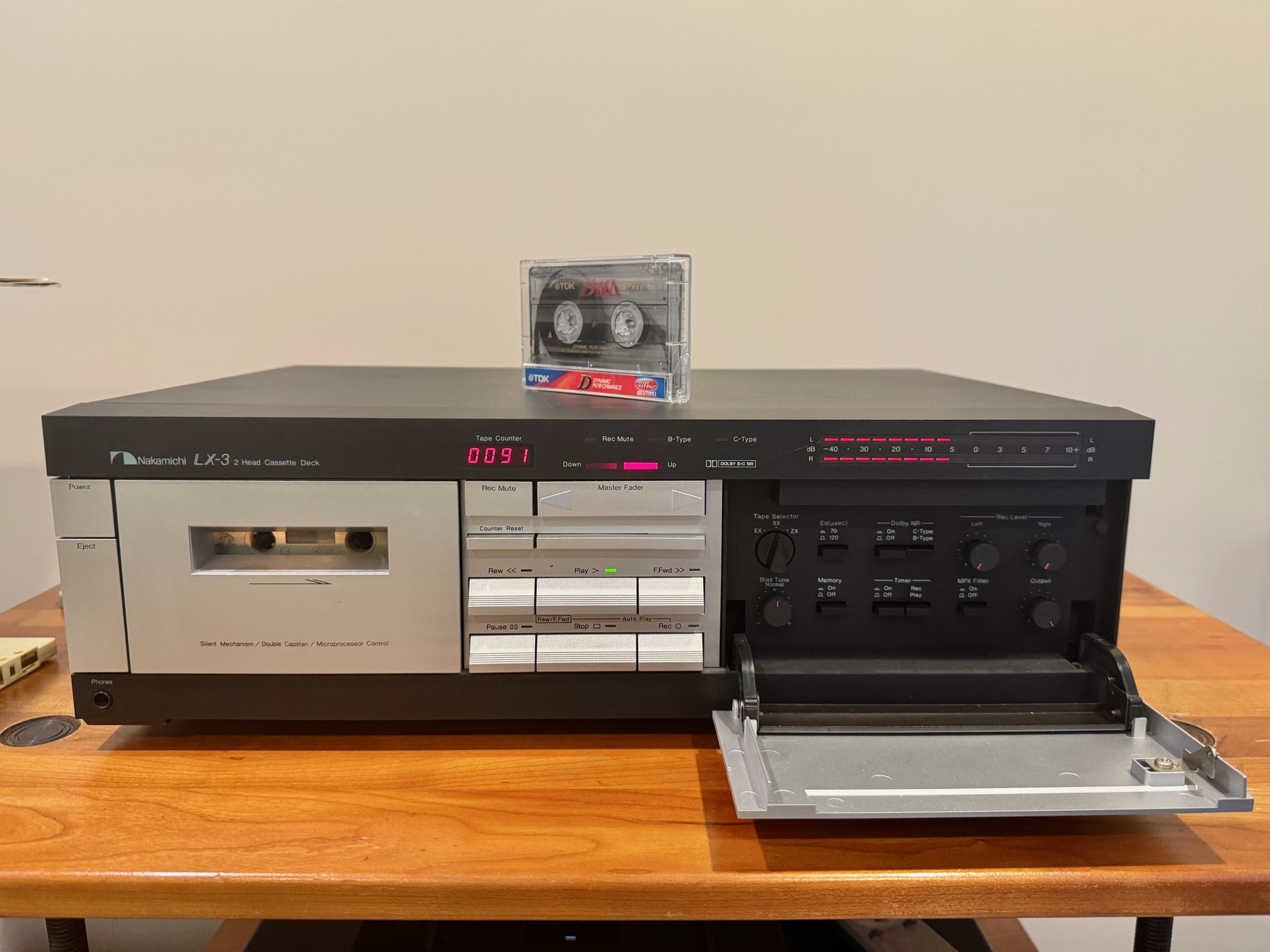
There’s a new vintage stereo store near me. It’s called “Bring Back Analog”. I traded him an unused turntable for this Nakamichi LX-3 and now I need to start recording mix tapes for my wife :)
I don’t know how to edit digital photos without going too far. baty.photo/2025/digi…
Me, 6:00am: I no longer want to self-host anything